




Are you ready to accept payments and donations at your next fundraising event? Many donors expect to use credit cards for tickets, merchandise, and contributions. To ensure your event runs smoothly, equip your organization with the right online fundraising tools. Here’s how:
Step 1: Activate your payment processing account
Every DonorPerfect system includes a payment processing account with no setup, monthly*, or annual fees. This allows you to securely accept donations and payments via credit card and automatically record them in donor records. Before your event, activate your account to start accepting payments. If you’ve already activated it, you’re all set!
Step 2: tools for on-site payments
Your DonorPerfect payment processing account powers several online fundraising tools. Before your event, set them up and test them to ensure a seamless experience for your donors.
- Create an online form that allows donors to securely make payments via credit card, bank transfer (ACH or PAD), PayPal, and Venmo.
- Process payments in person or over the phone with Insta-Charge.
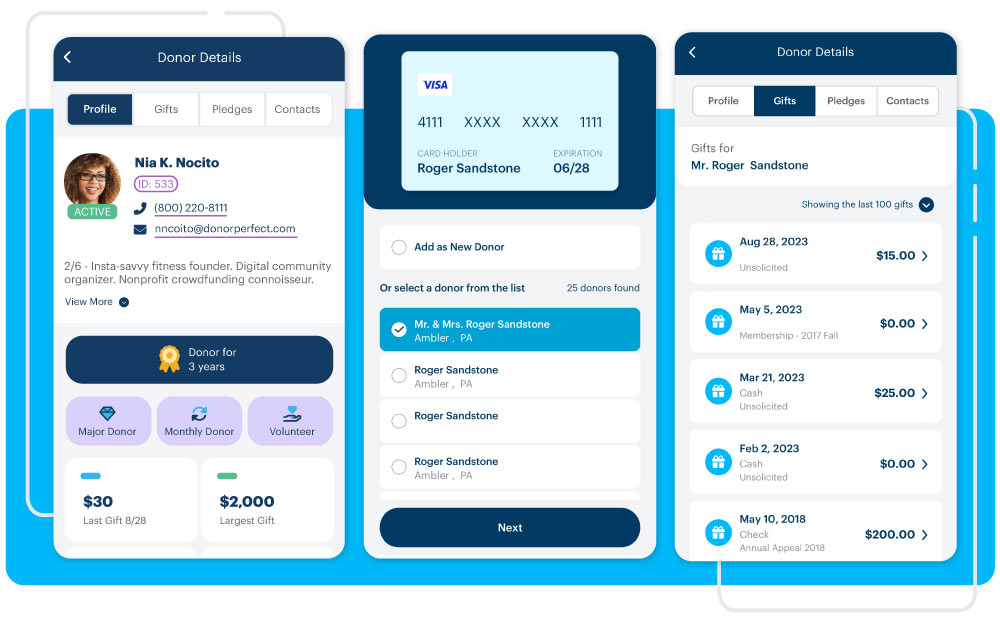
- Accept payments on the go using a card reader and the free DP Mobile app.
Step 3: Streamline payments during your event
There are many ways to incorporate DonorPerfect’s tools into your fundraising strategy. Choose the ones that best fit with your event type and staff availability.
Send a text before the event
Use DP Text, DonorPerfect’s integrated text fundraising tool, to inform and remind donors about your event. Include a link to your donation form to encourage early giving. Since 95% of text messages are read within 3 minutes, this is a powerful way to drive donations..
Event registration and ticketing
Use DP Mobile with a card reader to process ticket sales, merchandise purchases and donations quickly. Staff with laptops and a WI-FI connection can log into DonorPerfect to process credit card payments using Insta-Charge.
Raffle and silent auction payments
Don’t turn donors away that aren’t carrying cash for your raffle baskets and silent auction items!
- Accept credit and debit card payments using DP Mobile.
- Assign a volunteer of staff member to collect credit card payments using Insta-Charge on a laptop.
- For live auction bidding updates, the ability to launch your auction before your event, and other auction management tools, check out ReadySetAuction.
Individual donations
Be ready to convert event attendees into donors as you mingle during your event. Prepare a quick, persuasive speech about what your organization does, why it’s essential, and how their involvement is an opportunity to be part of something amazing. Keep DP Mobile on hand to accept immediate donations..
Donation collection stations
Make sure staff are equipped with a phone and DP Mobile or a laptop with Insta-Charge to accept donations from engaged event attendees who want to support your mission.
Pro-tip: For ways to collect information on event attendees, check out these recommendations.
Promotional materials
It’s not always practical to have a kiosk or laptop available at events for participants to donate. Create a QR code that links to your online donation form and add it to flyers, table tents, and any presentations at the event. When donors scan the code with their smart device, they can enter credit card donations themselves.
Announce real-time fundraising results
If your event includes a fundraising challenge, provide live updates to inspire more giving. The Mobile Payments Report in DP Mobile lets you know at a glance exactly how much you’ve raised during the event.
Step 4: Plan for additional payment needs
Think about all the ways attendees might want to use credit cards at your event. Make a checklist and ensure your team is prepared with the right tools. With DonorPerfect’s online fundraising solutions, you can make payment collection seamless and manage donations with ease.
*The no monthly fee only applies to organizations in the US. Fees may vary in other countries. Call 800-220-8111 to learn more.