




“My donation form isn’t converting. How do I fix it?”
Your donation forms are the most important conversion points in your entire online fundraising strategy. They’re either a barrier to—or a catalyst for—turning donor intent into action.
Donation form optimization, when done right, can increase your organization’s average gift size and donor retention rate by improving how your supporters experience online giving—reducing friction, building trust, and guiding your supporters toward completing (and repeating) their gifts.
In this post, explore donation form optimization best practices—such as page speed and impact-first messaging—and how to implement these strategies at scale.
What is donation form optimization?
Donation form optimization is the nonprofit-specific application of a broader marketing strategy called conversion rate optimization (CRO). In other industries, CRO focuses on turning people into customers, but for nonprofits, it focuses on helping people follow through on their intent to support your mission.
Put simply, a conversion is a completed form submission—whether it’s a gift, volunteer sign-up, event RSVP, or information request. Every time a supporter visits your form, they go through a series of steps guiding them through completion.
In CRO terms, these steps are called “micro-conversions.” Each one presents two opportunities: one for your donor to abandon the form, and one for you to convert your donor by optimizing the form.
Conversion rate optimization (CRO) for nonprofits
Donation forms include multiple micro-conversions:
- Clicking a “Donate” or “Give Monthly” button
- Selecting a gift amount or impact level
- Filling out blank fields, such as first name and last name
- Selecting from a dropdown list, such as “where did you hear about us?”
- Selecting a digital wallet and entering payment credentials
Modern donation platforms focus on minimizing friction at every stage, ensuring your supporters can move to action without unnecessary delays, distractions, or uncertainty.
Why nonprofits should prioritize form optimization
For smaller nonprofits, increasing form conversion rates can help build their constituency and stabilize the organization. For medium to large-sized nonprofits, even small conversion improvements can produce significant results.
Regardless of donor count or budget, unoptimized forms can result in:
- High abandonment rates during checkout
- Lost revenue during peak campaigns
- Missed recurring giving opportunities
- Increased strain on fundraising operations and development staff
Donation form optimization helps nonprofits apply CRO principles—speed, clarity, trust, and relevance—without needing enterprise-level complexity.
Best practices for higher conversion rates
1. Make monthly giving the primary path
Reduce decision friction and increase lifetime value. Monthly giving performs better because it simplifies the donor’s decision: one commitment instead of repeated asks.
Optimized donation forms:
- Highlight monthly giving as a sustainable option*
- Personalize suggested monthly amounts
- Remove barriers to managing recurring gifts
Use the donor data in your nonprofit CRM to ensure your monthly ask amounts resonate with your supporters. On your donation forms, you can tailor monthly amounts to your gift history. In your fundraising emails, you can personalize monthly amounts to each donor. Some integrated solutions, like DonorPerfect and Givecloud, include gentle reminders for one-time donors about recurring options they can manage online.
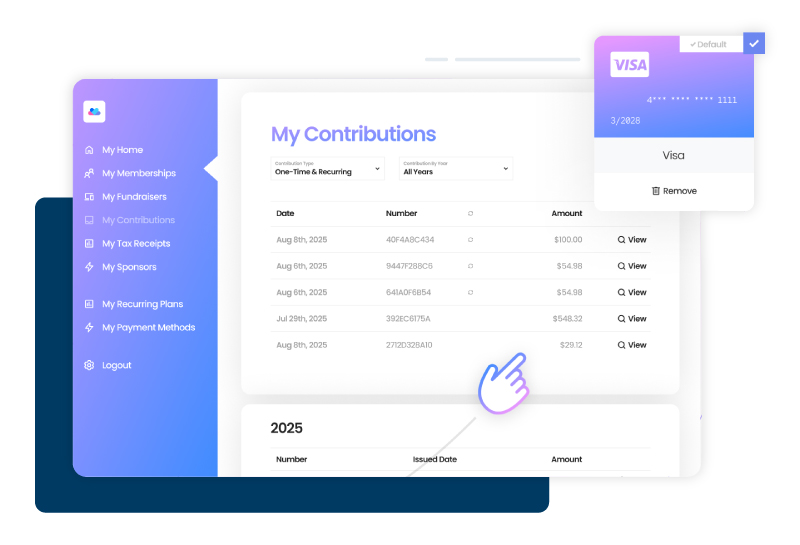
Pro tip: Allow supporters to update their payment details themselves—it reduces involuntary donor churn caused by expired cards or outdated information. For example, DonorPerfect and Givecloud provide a self-service donor portal where supporters can manage their recurring donations and download their own receipts.
*Note: Every nonprofit is different. For many organizations, making monthly giving the default option can increase retention and recurring revenue. However, it’s important to ensure donors can easily choose between monthly and one-time giving, with both options presented clearly and intentionally. The goal is to guide supporters through a smooth experience while keeping them fully in control of how they give.
2. Lead with impact before dollar amount
Each donor has a different goal, so be sure to clarify value and cost. Donors convert faster when they understand why their gift matters. Make their donation experience more powerful by letting them choose the outcome of their gift, such as:
- Classroom supplies for one student – $25
- Books or learning materials for a small group – $50
- After-school tutoring session for a student – $75
- Technology access for a classroom – $100
- STEM or arts enrichment program for a full class – $150
- Scholarship support for a student’s semester – $200
Impact-first donation forms allow supporters to select tangible outcomes visually before choosing a dollar amount. This reduces cognitive load and shifts focus from price to purpose—a proven CRO tactic that improves completion rates, particularly for program-driven organizations.
Impact-first optimization includes:
- Letting donors choose giving outcomes
- Framing giving as participation in a solution
- Reinforcing impact after conversion
3. Reduce abandonment with a smooth checkout
Prioritize page speed and interruption recovery tools. Slow load times and checkout friction are two of the strongest predictors of donation abandonment.
Optimized donation experiences prioritize:
- Fast page load times
- Minimal steps to complete a gift
- Express checkout with saved payment information
- Digital wallets like PayPal and Venmo
Fast load times can be especially critical during high-traffic, time-sensitive campaigns, where even small delays increase abandonment. And express checkout helps reduce checkout friction by allowing donors to complete their gifts in one click using stored credentials. Together, these features help nonprofits recover donations that might otherwise be lost due to distraction or slow-loading pages.
Givecloud forms are engineered for high performance, with average load times under 1.5 seconds and an infrastructure that supports up to 25 donations per second.
4. Increase average gift size with suggested ask amounts
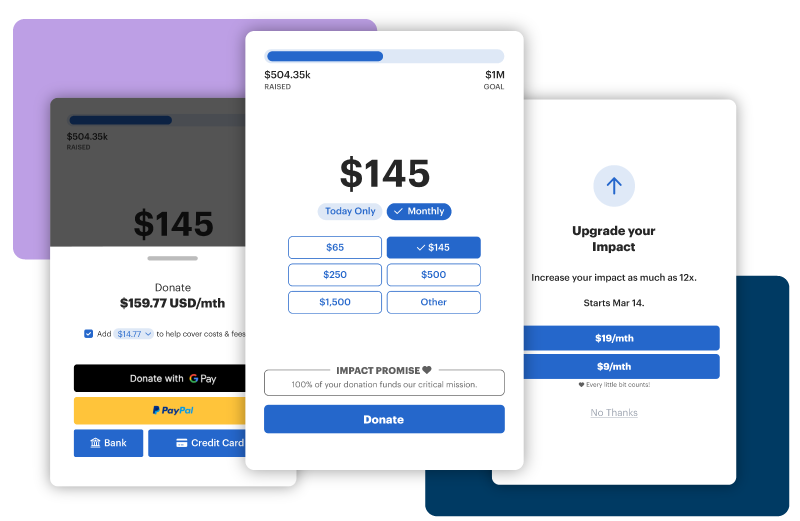
Encourage specific amounts without limiting choices. Suggested giving amounts influence how donors perceive their own contribution. This approach helps to increase average gift size while maintaining a donor-centered experience.
Optimized ask strategies:
- Reflect donor history and behavior
- Use intelligent anchors instead of static guesses
- Encourage upgrades without pressure
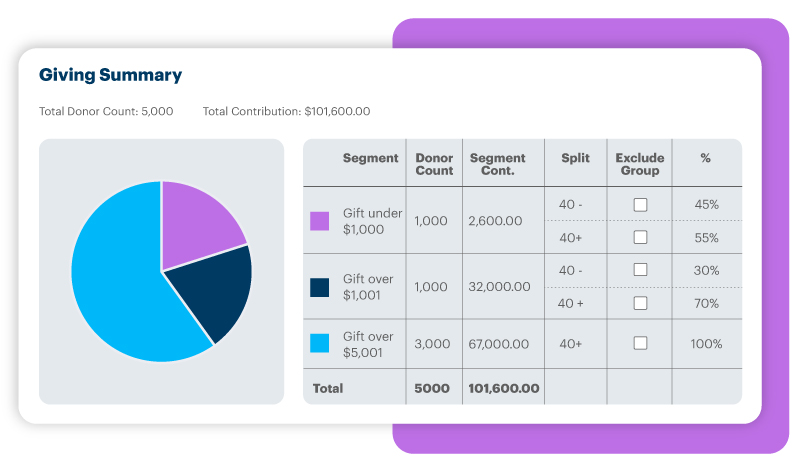
As mentioned for monthly giving, you can use the donor data in your nonprofit CRM to calculate appropriate ask amounts for specific fundraising campaigns or donor segments. For example, you can set default giving amounts for the campaign, and adjust amounts for loyal donors based on their giving history.
Pro tip: To improve your donation form performance, analyze any changes in conversion rates or ask amounts. For example, did the gift amounts and impact points resonate with new donors like you had hoped? All results from Givecloud forms sync directly to DonorPerfect so you can analyze your conversion rate by amount, campaign, or segment.
5. Build trust with branded donation experiences
Trust signals reduce hesitation. When donation forms feel disconnected from your website, donors are more likely to abandon the process.
Optimized forms should:
- Appear embedded or as non-disruptive pop-ups
- Match your website branding exactly
- Reinforce continuity from appeal to checkout
- Leverage social proof to signal trust
Branded donation forms that match your website design (font, colors, etc.) perform better, because they assure your donors that they’re in the right place.
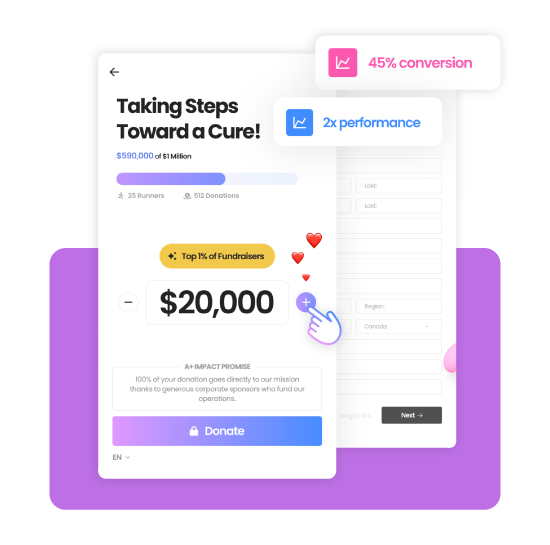
Other form types, such as peer-to-peer fundraising, benefit from interactive elements that display “social proof”—a CRO tactic that increases completion rates. In other words, real-time progress bars and donation feeds signal to donors that the page is a safe place to participate in your mission, alongside their peers.
6. Improve retention with donor self-service tools
Conversion doesn’t end with the first gift, sign-up, RSVP, or request. Donor stewardship and retention are a continuation of your form optimization initiatives.
High-performing nonprofits empower donors to:
- Manage recurring gifts
- Update payment information
- Access receipts without contacting staff
Form tools with self-service options empower your supporters to manage and explore their own donor journey, helping them feel like active participants in the change they want to see, rather than having assumptions made about their goals.
Internally, self-service options reduce the administrative burden on your fundraising staff, freeing up time for meaningful relationship work.
Pro tip: A secure donor portal enables supporters to manage their own engagement, reducing friction that often leads to churn. With Givecloud and DonorPerfect, for example, all updates sync automatically, improving both donor satisfaction and operational efficiency.
7. Apply donation form optimization across channels
For growing nonprofits, donation forms are part of a broader digital engagement ecosystem. For a cohesive donation experience that’s easy and safe for your donors, it’s best to maintain consistency across all touchpoints, optimizing for speed, clarity, and follow-through.
In addition to your forms, you can apply CRO principles across:
- Crowdfunding and peer-to-peer fundraising
- Virtual events with live engagement tools
- Online stores that combine merchandise and donations in one checkout
To review supporter behavior as it relates to revenue, ensure every touchpoint syncs with your donor management software, so you can analyze the full picture at a glance.
On average, nonprofits using Givecloud and DonorPerfect together increase online fundraising revenue by up to 72%, supported by:
- Industry-leading conversion rates (averaging 25%)
- Sub-1.5-second page load times
- Intelligent personalization and behavioral nudges
- Seamless CRM integration for reporting and stewardship
Remember, converting donors requires more than perfectly-worded appeals, it’s about removing barriers between donor intent and action. By guiding your supporters through a smooth experience with donation form optimization best practices like personalization, impact descriptions, trust signals, and express checkout options, you’re making it easier for them to support and sustain your mission.
Want more marketing principles to implement into your nonprofit strategic plan? Learn more about agile fundraising, a planning and work process that helps teams produce better outcomes through ongoing value, improvement, and prioritization. Get your complete guide to implementing agile fundraising, available for free on the DonorPerfect blog.
Explore optimized forms with DonorPerfect and Givecloud
Request your free demonstration today.