

10 Key Features to Increase Conversion Rates
Online donation forms can shape a donor’s entire giving experience and play a major role in online fundraising success. In the recent webinar, Givecloud 101: Online Donation Forms for Nonprofits, Samantha Cabral from Givecloud shared how nonprofits are using modern online fundraising tools to increase online donations, improve donor experiences, and simplify fundraising operations.
Officially acquired by DonorPerfect in late 2025, Givecloud helps nonprofits create modern, high-converting fundraising experiences directly on their own websites.
Here are the key takeaways from the session.
Why donation form optimization matters
Small changes to your donation forms can have a measurable impact on online fundraising results. According to Samantha, organizations switching to Givecloud have seen an average 60% increase in online fundraising due to features like:
- Embedded donation forms
- AI-powered donation suggestions
- Simplified checkout experiences
- Mobile-friendly design
- Social proof and engagement tools
Donors increasingly expect online giving to feel simple and familiar. Reducing friction throughout the donation process can help nonprofits create a smoother, more trustworthy donor experience.
Ready to start increasing online donations? Download your free copy of the Donation Form Optimization Checklist to get your team aligned with an action plan.
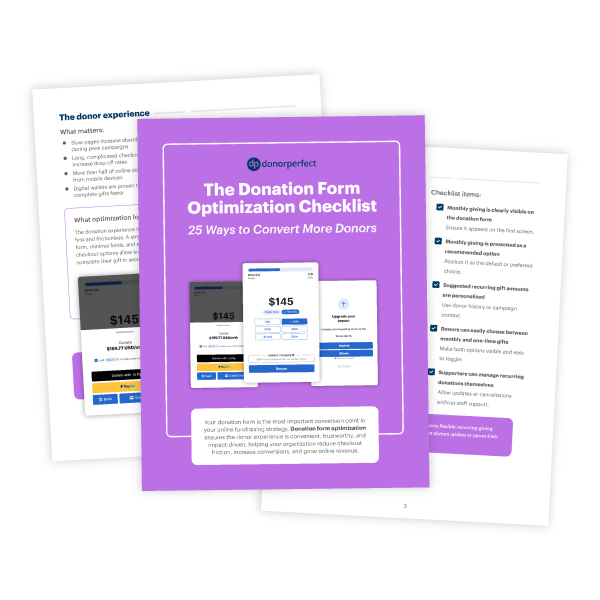
Many of the webinar’s recommendations align with current donation form best practices focused on reducing friction and improving donor trust.
Key features for increasing conversions
1. Embedded donation forms help reduce donor drop-off
One of the webinar’s biggest recommendations was using embedded donation forms instead of redirecting donors to a separate page or third-party platform.
Why does this matter? Redirects can interrupt the giving process and create unnecessary friction.
By embedding donation forms directly on a nonprofit’s website, organizations can create a more seamless experience that keeps donors focused on completing their gifts.
2. AI-powered Smart Asks encourage larger gifts
One of Givecloud’s standout features is its AI-powered Smart Asks tool. Instead of showing every donor the same suggested gift amounts, Givecloud personalizes donation suggestions based on donor behavior and context.
For returning donors, Givecloud uses cookie-based recognition to recommend gift amounts based on previous giving history, even if the donor is not logged in.
For new donors, the platform considers factors such as:
- Device type
- Browser
- Operating system
These personalized suggestions are designed to encourage higher conversion rates and larger gifts.
Did you know? According to Givecloud, organizations using Smart Asks are seeing approximately a 60% increase in average donation size.
3. Flexible donor-covered costs can retain fundraising revenue
Many donation forms ask donors to cover a flat processing fee, typically around 3%. Givecloud takes a more flexible approach.
Instead of a simple yes-or-no checkbox, donors can choose from several options:
- Cover minimum costs
- Cover most costs
- Cover more costs
- Opt out entirely
Organizations using this feature average approximately 7% in donor-covered costs that go directly back to the nonprofit. Even more notably, 85% of donors choose to help cover additional costs when the feature is enabled.
4. Monthly giving prompts help grow recurring revenue
Givecloud also includes a post-donation monthly giving prompt. After completing a one-time gift, donors are immediately invited to increase their impact by becoming monthly supporters.
The timing matters. Donors are often most emotionally connected to your mission immediately after making a gift, making it an ideal moment to introduce recurring giving opportunities.
Organizations using this strategy are seeing approximately a 10% increase in monthly giving conversions.
Beyond donation forms themselves, the webinar also explored tools that support donor retention, data quality, and long-term fundraising growth.
5. Multiple payment options make giving easier
Givecloud supports a wide range of payment methods, including:
- Credit cards
- ACH payments
- Apple Pay
- Google Pay
- PayPal
- Donor-advised fund giving through DAFpay by Chariot
The Chariot integration allows donors to recommend donor-advised fund gifts directly through the donation form instead of mailing checks, helping streamline the giving process.
6. Google Address Autofill improves donor data quality
To simplify checkout and reduce duplicate donor records, Givecloud includes Google Address Autofill during the donation process.
This feature helps nonprofits:
- Speed up form completion
- Standardize donor data
- Improve nonprofit CRM data quality
Clean donor data supports stronger reporting, segmentation, donor stewardship, and a smoother donor experience over time.
7. Social proof and campaign tools create momentum
The webinar also highlighted several engagement features designed to build excitement and encourage participation during fundraising campaigns, including:
- Live donation notifications
- Campaign countdown timers
- Goal thermometers
- Recurring giving options
- Peer-to-peer fundraising prompts
These tools help donors feel connected to a larger community of supporters while reinforcing campaign momentum.
8. The donor portal gives supporters more control
One of the webinar’s most popular topics was Givecloud’s donor portal.
The portal allows donors to:
- View past donations
- Download tax receipts
- Update payment methods
- Manage recurring gifts
- Pause or cancel monthly donations
- Update contact information
- Access peer-to-peer fundraising pages
Givecloud can also pull historical donor data directly from DonorPerfect, allowing supporters to see their giving history in one place.
This self-service functionality helps reduce administrative work for nonprofit staff while improving the donor experience.
9. Event ticketing keeps donors on your website
The webinar also explored Givecloud’s event registration capabilities.
Instead of redirecting supporters to third-party ticketing platforms, nonprofits can keep event registration directly on their own websites.
Features include:
- Custom ticket types
- Fair market value calculations for tax receipting
- QR code ticketing and check-in
- Custom attendee questions
- Table sponsorships
- Real-time syncing with DonorPerfect
10. DonorPerfect integration simplifies fundraising operations
A major theme throughout the webinar was simplicity.
Samantha demonstrated how nonprofits can quickly create and customize donation forms using Givecloud’s visual editor.
Organizations can:
- Upload logos
- Customize colors
- Enable features with simple toggles
- Add recurring giving options
- Configure social proof tools
- Set up campaigns and fund designations
From there, nonprofits can map campaigns, solicitation codes, and donation data directly into DonorPerfect for automatic syncing. This allows organizations to continue managing donor records, reporting, and fundraising operations inside DonorPerfect while Givecloud powers the online giving experience.
Effective donation form optimization does not always require a complete digital overhaul. Often, small changes—such as reducing checkout friction, personalizing donation amounts, or improving donor self-service options—can make a meaningful difference in donor conversion and retention.
For nonprofits already using DonorPerfect, Givecloud offers an integrated way to modernize online fundraising while keeping donor data centralized within their nonprofit CRM.
Download your free Donation Form
Optimization Checklist
Align your team with an action plan for increasing conversions.